
ADVERTISEMENT
Go Directly to the SHEIN Free Trial Center
Already know how the program works? Check the current Free Trial products and continue directly to the official SHEIN platform.
The SHEIN Free Trial program lets users apply for selected products and, when approved, receive them to test and review.
The process is straightforward, but each step matters. Below, you can follow the complete participation flow from finding a product to submitting your final review.
ADVERTISEMENT
What the Free Trial Process Looks Like
Access the Free Trial Center
Start by signing in to your SHEIN account through the website or app.
Open the Free Trial section to see the products currently included in the program. SHEIN’s official help center describes this as the first step in the application process.
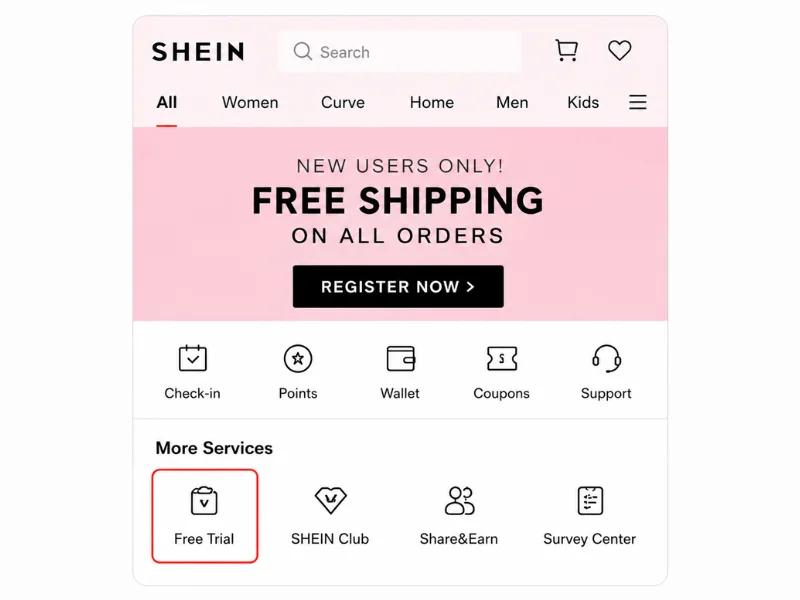
Open the Free Trial section to see the products currently available.
Browse the Available Products
Inside the Free Trial section, browse the current product selection and choose the items that interest you most.
According to SHEIN, users can apply for up to three Free Trial products per week.
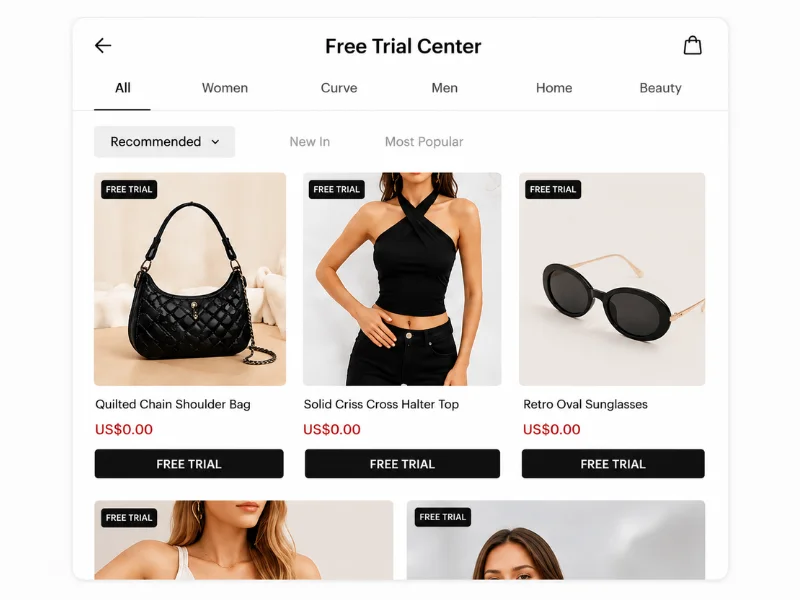
Browse the current products and choose the items you want to apply for.
Select Your Size and Shipping Details
After selecting an item, choose the correct size and confirm your shipping details.
SHEIN states that the shipping address must match the country version of the site being used; otherwise, the application cannot be submitted.
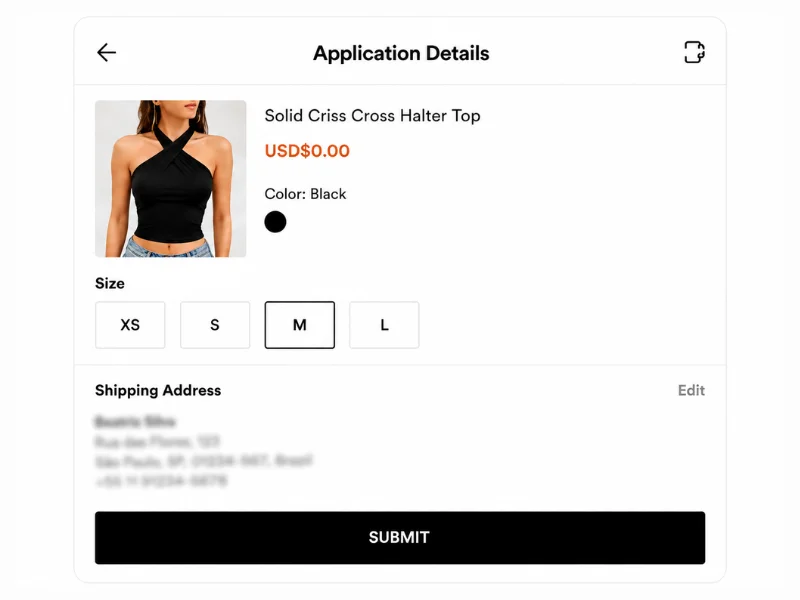
Confirm your size and shipping information before submitting.
Submit Your Free Trial Application
Once your information is correct, submit the Free Trial application.
After submission, the application appears in the Free Trial area with a Pending status while it is being reviewed.
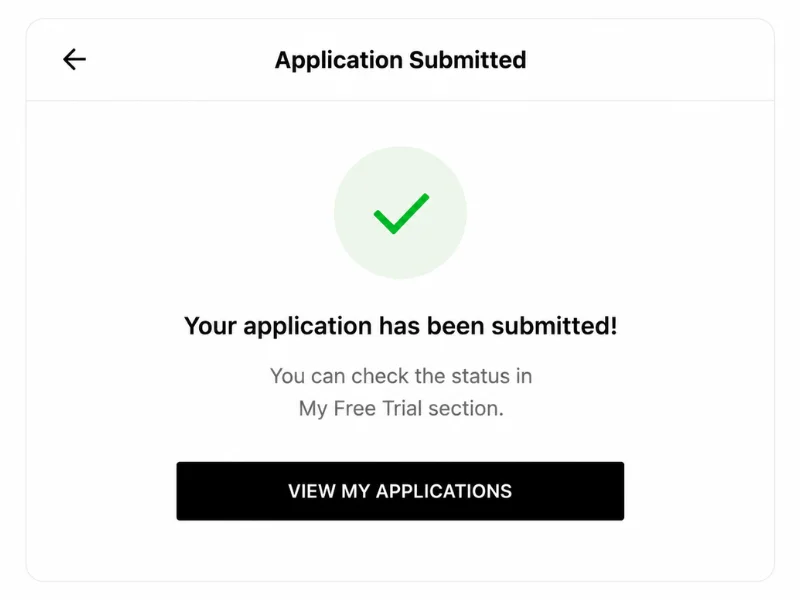
Submit your request and wait for the application status to update.
Check Your Application Status
You can monitor your request in My Free Trial or the equivalent application section in your account.
SHEIN says processing takes approximately one week. Approved applications show Approved, while unsuccessful ones can show Failed.
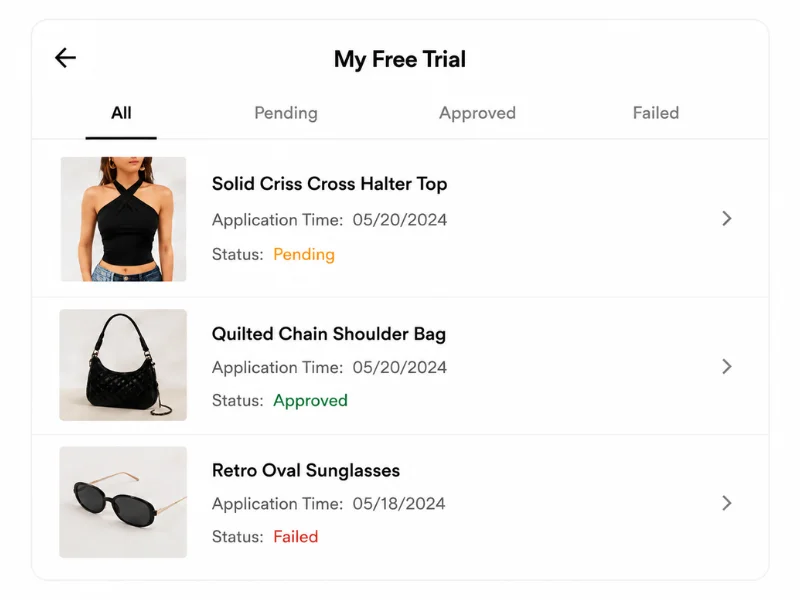
Look for Pending, Approved or Failed in your application history.
Receive Your Free Trial Product
If your application is approved, SHEIN says the order is automatically created and shipped to the address provided.
Once the product arrives, you can move on to the testing and review stage.
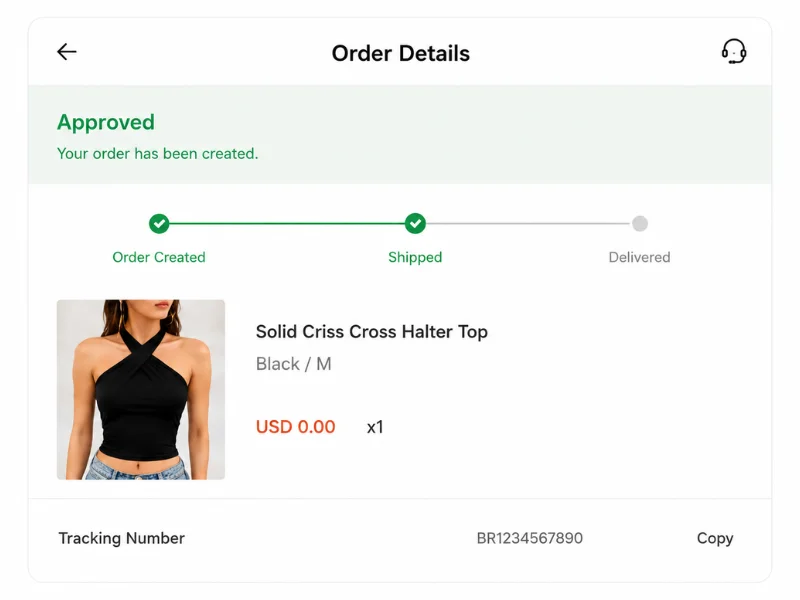
Approved applications are processed and shipped automatically.
Test the Product & Take Photos
Once the product arrives, use it normally and pay attention to details such as fit, fabric, comfort, style and construction.
SHEIN specifically asks reviewers to provide detailed feedback and original photos. Its guidance recommends a full-body image plus detailed product photos.

Use your own photos and describe your real experience with the product.
Submit Your Free Trial Review
Return to your Free Trial order and open the review/report option.
SHEIN says selected participants should submit their report within 10 days after receiving the product.
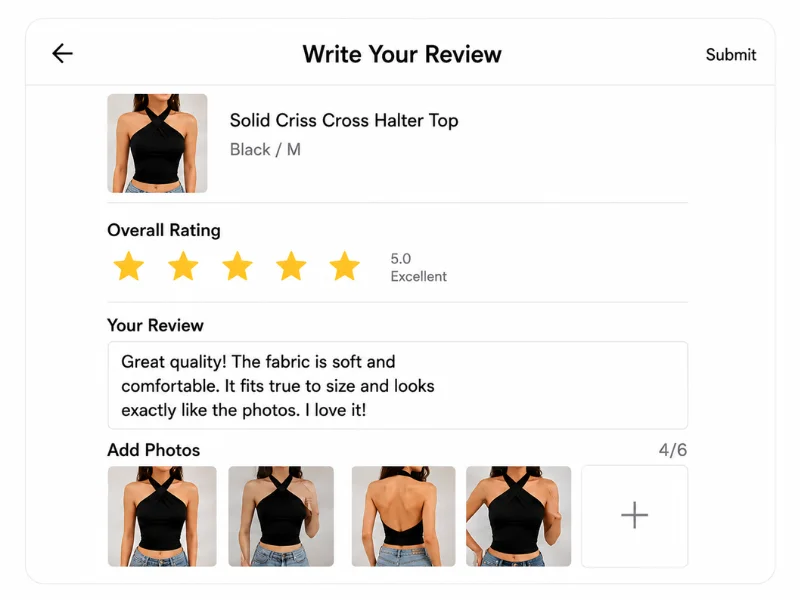
Upload your review and photos within the required submission period.
What Makes a Good Free Trial Review?
A useful review should explain what you actually experienced with the item rather than simply saying that it was good or bad.
SHEIN’s guidance specifically mentions material, texture, quality, fit, style and construction, along with original product photos.
What to Include in Your Review
Quick Free Trial Facts
SHEIN’s current help center says users can apply for up to three products per week, processing takes about one week, and selected users have 10 days after receiving an item to submit their review.
What If You’re Not Selected?
An unsuccessful application simply appears as Failed in the Free Trial application area. You can apply again in future rounds as long as you remain eligible and still have application opportunities available for the week.
Because available products change, checking future rounds gives you additional chances to find items that interest you.
Ready to Check the Free Trial Program?
You now know the complete process: find a product, apply, monitor your status and submit a detailed review if selected.
Open the SHEIN Free Trial Program
Check the current Free Trial products and review the latest participation options.
OPEN FREE TRIAL → You will continue to the official SHEIN platform.